Introduction
OpenAI has confirmed it will retire custom GPTs in ChatGPT and replace them with plugins. According to the official Help Center FAQ, the standard retirement is scheduled for December 11, 2026. Enterprise workspaces with an approved deferral get until February 11, 2027. And on the Enterprise timeline, creation of new GPTs ends on October 26, 2026 (planned date).
If your business built GPTs for customer support, sales proposals, copy editing or staff training, now is the time to take inventory. Nobody loses their GPT tomorrow, but migration is not automatic and several pieces don't make the trip on their own. Below is what OpenAI has confirmed, what changes in practice, and a checklist to migrate without surprises.
What OpenAI announced
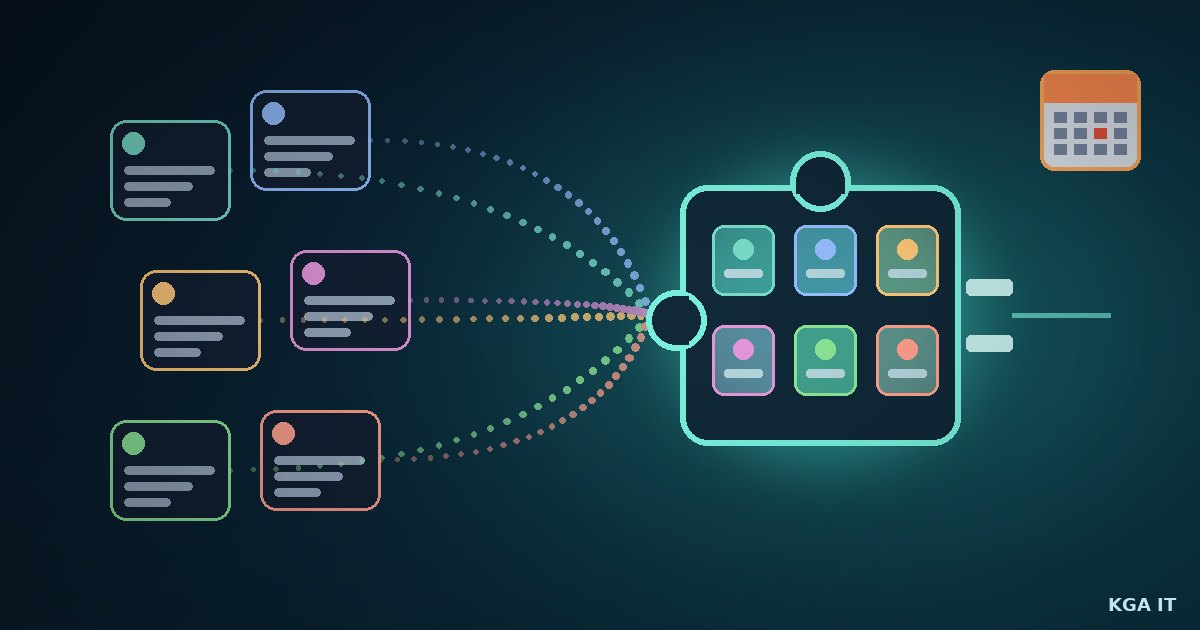
The notice to administrators went out on September 11, 2026. The idea, in OpenAI's own words, is that plugins "can bring reusable instructions, reference files, and connected apps together." Instead of opening a different GPT for each task, ChatGPT (and also Codex, OpenAI's coding agent) gets a toolbox of skills that can be called when needed.
A plugin can contain one or more skills, an MCP server (Model Context Protocol, the open standard for connecting AI to external tools and data), or both. Since July 9, 2026, the old app directory has already been converted into the plugin directory, which covers both ChatGPT and Codex.
The change affects all ChatGPT plans, but access to migration and plugins may differ by account or workspace. OpenAI asks each user to follow the notice shown inside the product.
The dates that matter
For affected Enterprise workspaces, the FAQ lists these milestones (OpenAI notes the dates are subject to change):
- September 11, 2026: notice to administrators.
- September 22, 2026: target for the migration tool and user banner. It is a target, not a guarantee that it is available in every workspace.
- October 1, 2026: banner target for workspaces that had opted into delayed banners.
- October 26, 2026 (planned): creation of new GPTs ends. Publish any draft you want to migrate before then. The freeze does not prevent editing existing GPTs that have not been migrated yet.
- December 11, 2026: standard retirement. GPTs and their pages become inaccessible.
- February 11, 2027: retirement for workspaces with a qualified, approved deferral.
Visual Studio Magazine noted that an earlier version of the documentation listed September 25 as the cutoff for new GPTs, later moved to October 26. In other words: always check your own workspace's notice.
What migrates and what stays behind
Migration is done under My GPTs > Migrate to plugin, once the option is available on your account. It uses the GPT's latest published version. Drafts and unpublished edits do not transfer. Publishing does not require sharing the GPT publicly.
What goes into the plugin:
- The GPT's instructions become a skill inside the plugin.
- Knowledge files are copied as reference files.
- Connected apps are added to the plugin as apps.
What does not:
- The model selected in the GPT. In Enterprise, workspace defaults apply.
- Custom actions (integrations with external APIs). They need to be rebuilt with an available app or your own MCP server, which may require technical work.
- Sharing settings. The migrated plugin starts private, and people who used the GPT don't get access automatically. Making the plugin public requires a separate submission process.
After migration, the original GPT keeps working until the retirement date, but it becomes read-only and the creator can no longer delete it. Old conversations with GPTs remain accessible after retirement, according to OpenAI.
Does the plugin work the same as the GPT?
Not always, and OpenAI says so itself: "a migrated plugin may respond differently." When you opened a GPT, you entered a dedicated environment with those instructions. With skills, ChatGPT can pick the right skill on its own, but OpenAI warns that "the plugin will not necessarily run on every request." For important workflows, the safest approach is to call the plugin explicitly, with @ or via the + > More menu where supported.
Visual Studio Magazine gathered complaints from creators on OpenAI's forum and on Reddit: knowledge files accepted by the GPT that were rejected during migration because of different size limits, instructions followed less strictly, and nothing equivalent to "anyone with the link" for distributing to customers. Anyone who spread GPT links across websites, QR codes or newsletters will have broken links once the pages go offline.
Costs and permissions in Enterprise
In Enterprise workspaces, using a migrated GPT without apps in Instant Chat has no incremental cost. Creating and editing plugins through a conversation uses Work or Codex, and actions in Work consume credits. Sharing with people or groups requires the Share plugins permission; publishing to the workspace directory requires Publish plugins to workspace; and using one requires Use plugins plus a policy that lets you install the plugin.
Checklist for small and medium businesses
- Take inventory. List the GPTs your team uses, who created each one and who depends on them.
- Publish the drafts that matter before October 26. Drafts don't migrate, and creation of new GPTs is due to end on that date.
- Keep a copy of the instructions and knowledge files outside ChatGPT, just in case.
- Set aside 3 to 5 test prompts, including one hard case, to compare the GPT and the plugin side by side.
- Map your custom actions. Check whether a ready-made app exists in the plugin directory or whether you'll need your own MCP server.
- Plan sharing. Decide who needs access to each plugin and ask your admin for the right permissions.
- Update public links on websites, printed materials and QR codes before December 11.
- Test before switching. Confirm the plugin picks the right skill, uses the reference files and delivers the expected format.
- Set an internal deadline at the end of November, so you have slack before the official date.
Conclusion
Replacing GPTs with plugins makes sense on paper: one AI with many skills, the same ones in ChatGPT and Codex, with standardized connections via MCP. But for anyone with workflows running today, it is real work: migration, testing and reconfiguring access. Start the inventory this week, publish your drafts before October 26 and treat December 11 as the final date, not the start date.
Sources
- OpenAI Help Center: Custom GPT retirement and migration FAQ
- OpenAI Help Center: Plugins in ChatGPT and Codex
- OpenAI Help Center: Admin controls, security, and compliance for plugins and apps
- Visual Studio Magazine: Hands-On With OpenAI's Mandatory Custom GPT-to-Plugin Migration (Deadline Coming)
Want this for your business?
KGA IT helps small and medium-sized businesses set up AI assistants, automation and websites. The consultation is free and we reply within 24 hours. Plans start at ¥5,000/month.
- Phone: 080-9732-1062
- Email: kga-it@outlook.com
- Contact page: kga-it.com/en/contact